# Blitz External Chair
**Setup:**
1. [**Disable Real-Time Protection & Antivirus Software**](https://deathless-services.gitbook.io/deathless-services/individual-guides/antivirus-software)
2. Disable Exploit Protection (Google How To Do This)
3. [**Enable HyperV**](https://deathless-services.gitbook.io/deathless-services/individual-guides/hyper-v)
4. [**Enable Virtualization**](https://deathless-services.gitbook.io/deathless-services/individual-guides/enable-virtualization)
5. [**Disable Memory Integrity**](https://deathless-services.gitbook.io/deathless-services/individual-guides/memory-integrity)
6. [**Disable Other Anti Cheats**](https://deathless-services.gitbook.io/deathless-services/individual-guides/disable-anti-cheats)
7. **Disable Overlays:**
* Turn off all overlays (Discord, GeForce, Medal, Radeon, etc.).
8. **Disable Any 3rd Party Firewalls**
9. [**Disable Vulnerable Driver Blocklist**](https://deathless-services.gitbook.io/deathless-services/individual-guides/vulnerable-driver-blocklist)
10. [**Sync Date & Time**](https://deathless-services.gitbook.io/deathless-services/individual-guides/sync-date-and-time)
11. [Download loader](https://deathless-services.gitbook.io/deathless-services/getting-started/downloads)
12. Run file as admin
13. Insert key
14. It will ask you to spoof, use F1 or F2 to use current or new seed (you can check if your serials changed using the HWID checker on [downloads page](https://deathless-services.gitbook.io/deathless-services/getting-started/downloads))
15. It will open a random app as part of injection, you don't need to do anything with this app just make sure it stays open (minimize it)
16. Start game when it tells you
**Note:** Open/Close = INS or Home
***
**Troubleshooting:**
**Controller Not Working:**
* Download ds4 for older controllers
***
**NO MENU IN GAME:**
* Menu not showing up in game disable discord overlays and close game reload the menu if still dont work clean temp files and restart pc and try again.\
also make sure frame gen is off in game gfx settings
frame gen
where to delete temp files
***
**FIX LAGGY OR WOBBLY ESP:**
* Lower your in-game graphics settings.
* Cap your in-game FPS to a stable value like 120 or 144.
* Open the cheat menu, go to ESP Settings.
* Set the ESP FPS Value to the exact same number as your capped in-game FPS.
***
**Loader force-closes or you get timestamp errors:**
* **Connect to a VPN**. (**Get Free VPN HERE:** [1.1.1.1 — The free app that makes your Internet faster.](https://one.one.one.one/)
If it still fails, clean your hosts file:
* Open Notepad as Administrator.
* Go to File > Open.
* Navigate to: **C:\Windows\System32\drivers\etc\host**
* Open the hosts file.
* Delete any lines containing unrecognized IP addresses (like those for systemlocker).
* Save the file.
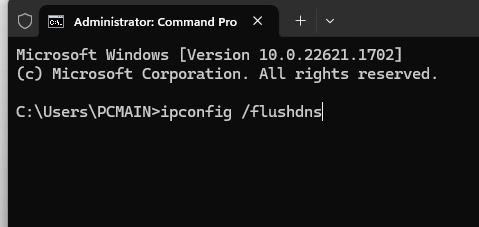
* Flush your DNS cache:
* Open Command Prompt as Administrator.
* Type: **ipconfig /flushdns** and press Enter.
* Restart your VPN and try the loader again.
ipconfig /flushdns in cmd
***
**AUTHENTICATION CONNECTION ERROR:**
* Ensure your firewall or VPN allows connection to the server.
Test connection to**:**
* Use vpn or delete ips in hosts
***
**HOW TO SAVE & LOAD CONFIGS:**
* In the cheat menu, click Save Config. The data copies to your clipboard.
* Paste that data into a new Text (.txt) file on your desktop and save it.
To load your settings later:
* Open your saved .txt file and copy all the text.
* Go back to the cheat menu and click Load Config.
***
**CRITICAL STABILITY STEPS:**
* Always run the loader as Administrator.
* Disable Windows Defender or add the loader folder as an exclusion.
* Turn off all overlays (Discord, Xbox Game Bar, NVIDIA/AMD software).
* Update your GPU drivers to prevent crashes and blue screens.
* Turn off Fast Startup in Windows Power Options and disable Fast Boot in your BIOS.
***
**GAME-SPECIFIC FIX:**
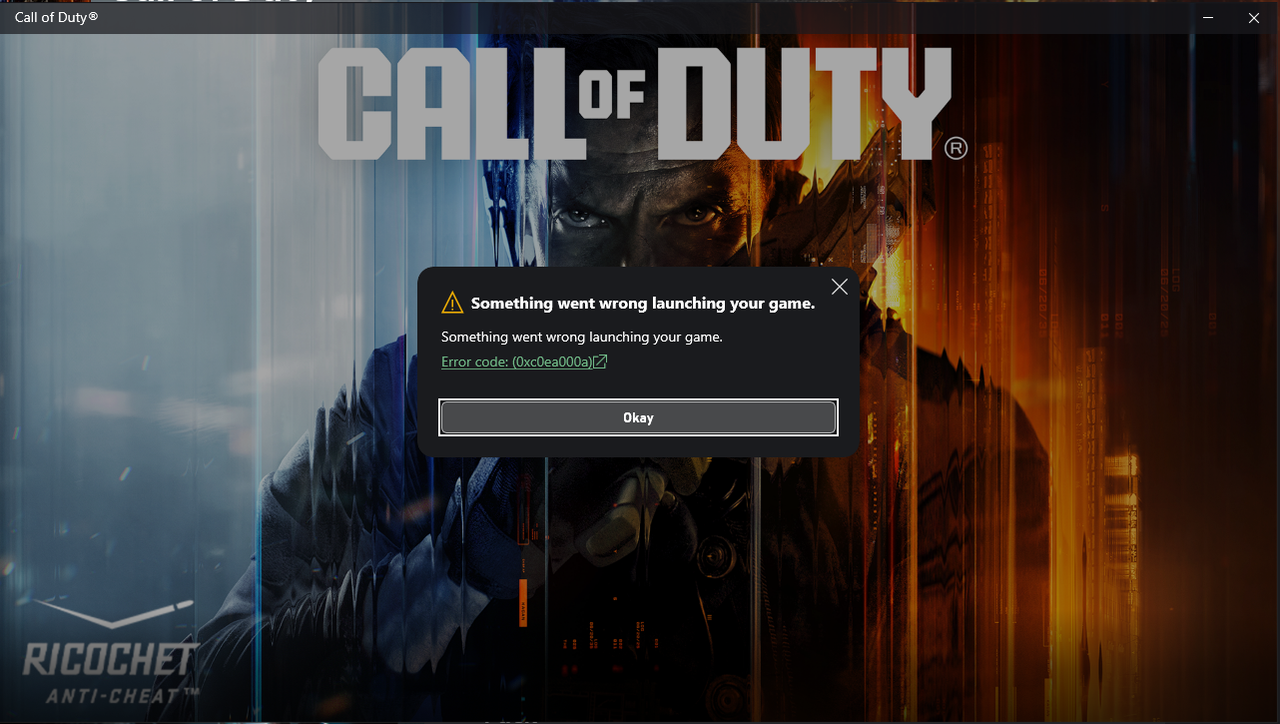
For Call of Duty staring errors, use the Scan and Repair function in Battle.net or Verify Integrity of Game Files in Steam and Xbox
repair game files
***
**FATAL DRIVER ERRORS (0x2 / 0x3 / INVALID KEY):**
* Restart pc and try again